 Copy Multiple Tab URLs
Copy URLs from
multiple tabs.
Copy every tab in this window, choose individual tabs, or copy tab groups. Check the links in Preview links, then paste them into your notes, a document, or a message.
Coming to the Chrome Web StoreThe store listing is being prepared. There is no public install link yet.
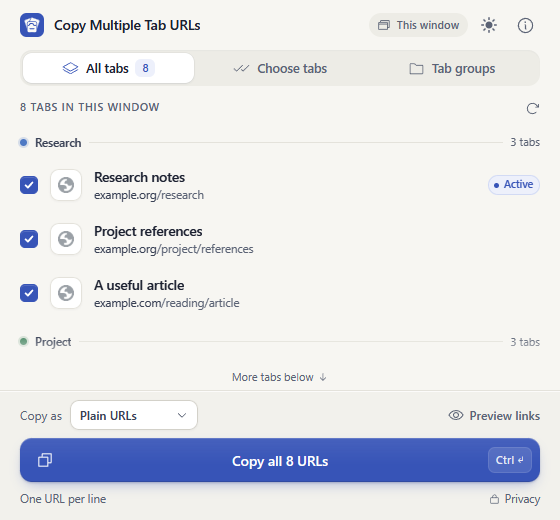
Copy tabs selected in Chrome
Hold Ctrl, or Command on a Mac, and click tabs at the top of Chrome. Open the extension to see those tabs. Uncheck a tab to leave its URL out; check it again to include it.
Copy tab groups
Choose one group or several by name and color. Collapsed groups are included. You can add group names as headings in Markdown or clickable links.
Choose how to paste the links
Copy plain URLs, titles with URLs, Markdown, or clickable page titles. Clickable links paste as titles in apps that support rich text, and as URLs in plain text apps.
Copy with keyboard shortcuts
Set shortcuts in Chrome to copy selected tabs or every tab in the current window. Both use your saved format and group-name setting. In the popup, use Ctrl+Enter or Command+Enter to copy.
Your tab data stays on your device
The extension reads tab titles, URLs, selection, and group information to show and copy your links. It saves only your format, group-name, and theme settings. It has no account, analytics, ads, or server. Chrome and your operating system control clipboard history and syncing.